F2Consulting Knowledge Base

Skip to content
  • Home
  • Customer Area
F2Consulting Knowledge Base

How to validate xml files with Notepad++

Leave a reply

  • Open Notepad++
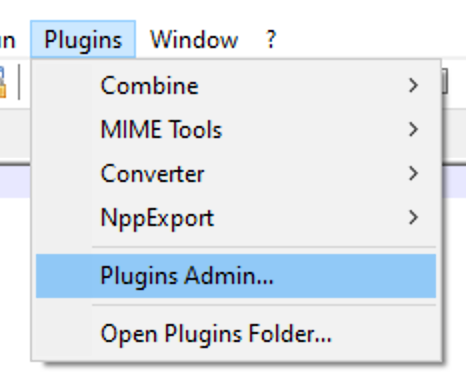
  • Go to “Plugins” tab > “Plugin Admin…”
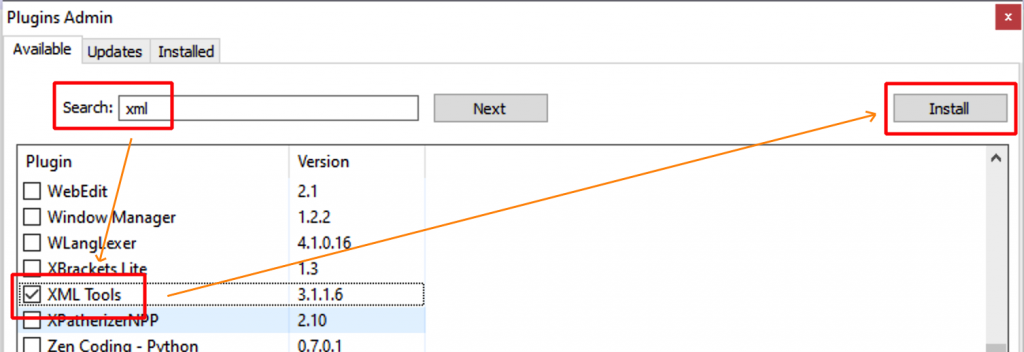
  • Type “xml” in the Search field > Select “XML Tools” > Install the plugin
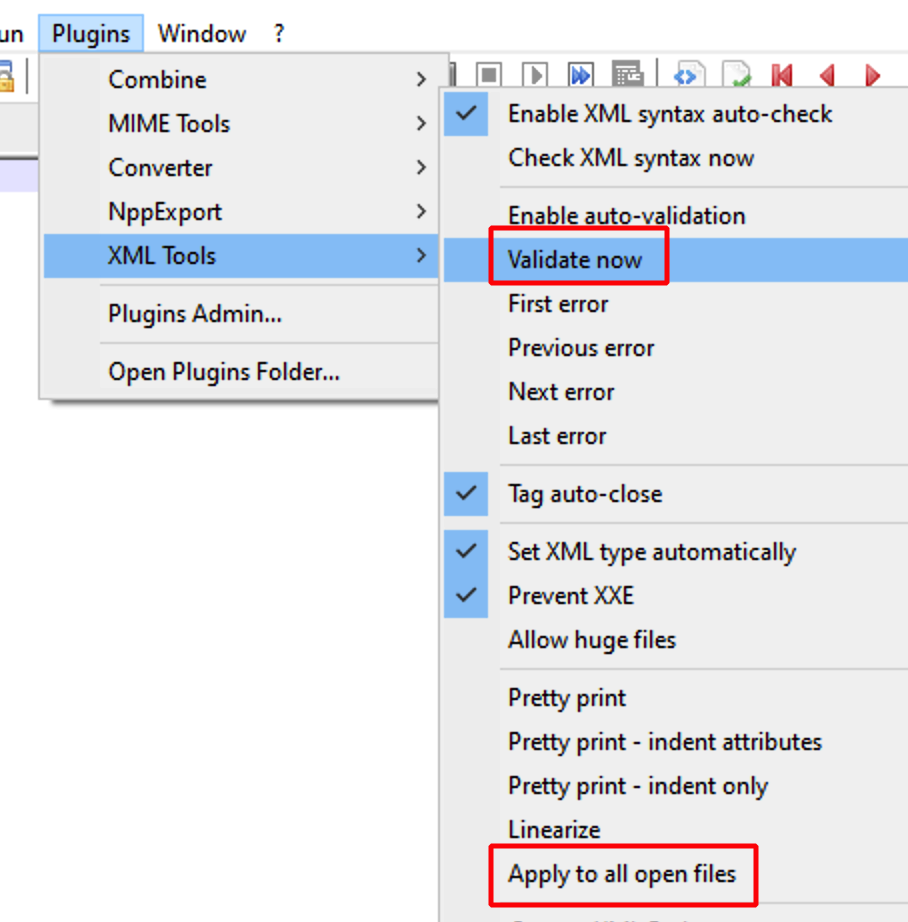
  • Notepad++ restarts and the XML Plugin is enabled
This entry was posted in Notepad++ and tagged Notepad++, plugins, validate, XML on August 3, 2021 by wp_1156178.

Recent Posts

  • How to validate xml files with Notepad++

Recent Comments

No comments to show.
Proudly powered by WordPress